

Scout XT Manual
Owner's manual and setup guide.
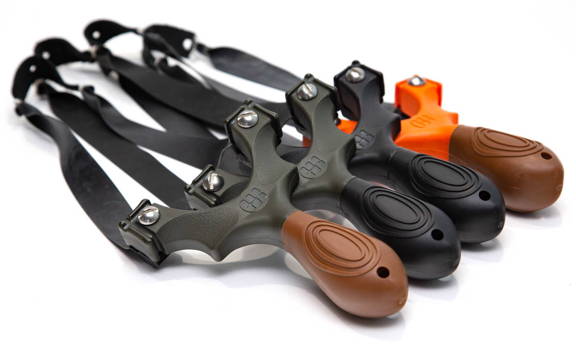
Owner's Manual
The Scout XT is an extremely versatile slingshot meant for all grips and capable of shooting virtually every bandset.
This owner's manual will go over setup of your slingshot and knowledge to make sure you safely and correctly use your new Scout XT.
Get to know your Scout XT™ Slingshot
This owners manual will go over setup of your Scout XT™ Slingshot, and show you how to safely and properly set up and use your slingshot.
_Keep scrolling for the video owners manual that covers setup demonstration!_
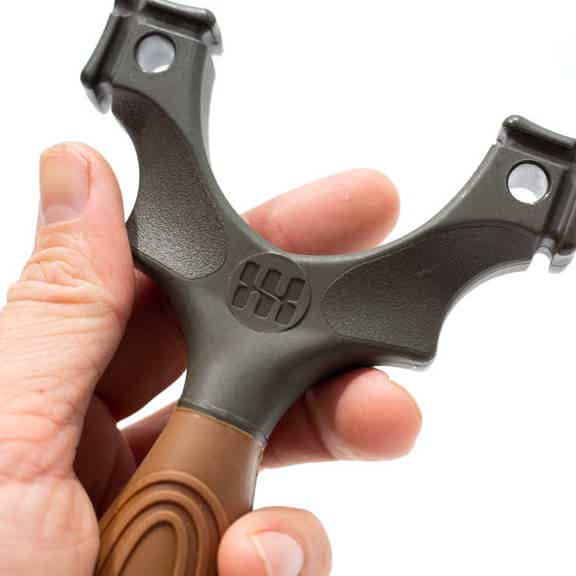
The Shooter Side
This is the side of the Scout XT that will face you as you shoot.
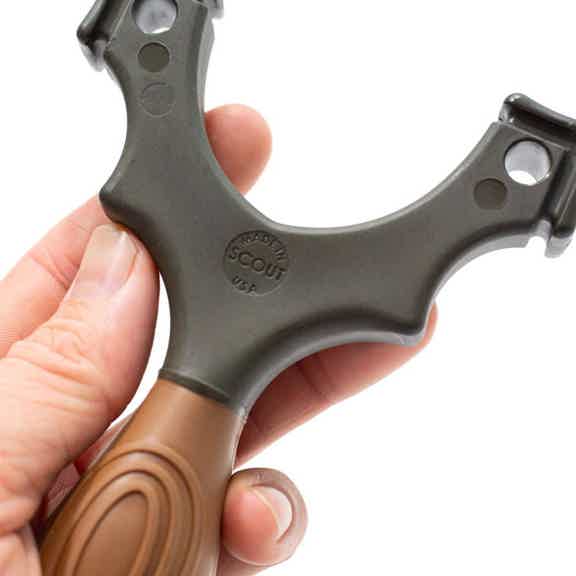
The Target Side
This is the side of the Scout XT that will face the target as you shoot.
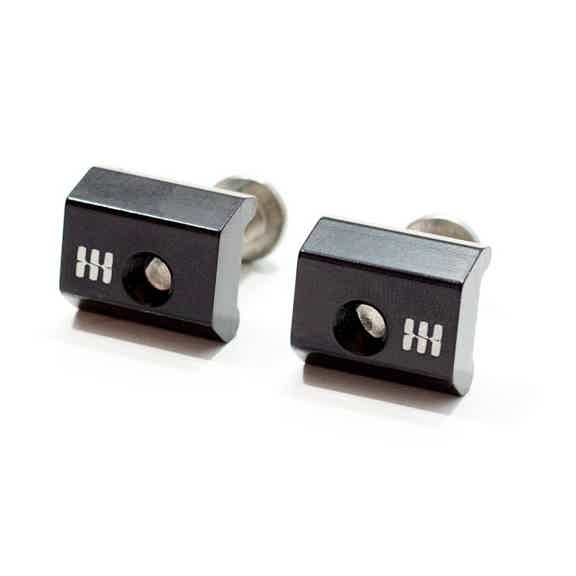
FlipClipsX for Scout XT
The FlipClips hold the bandset in OTT or TTF configuration. No swapping left and right.
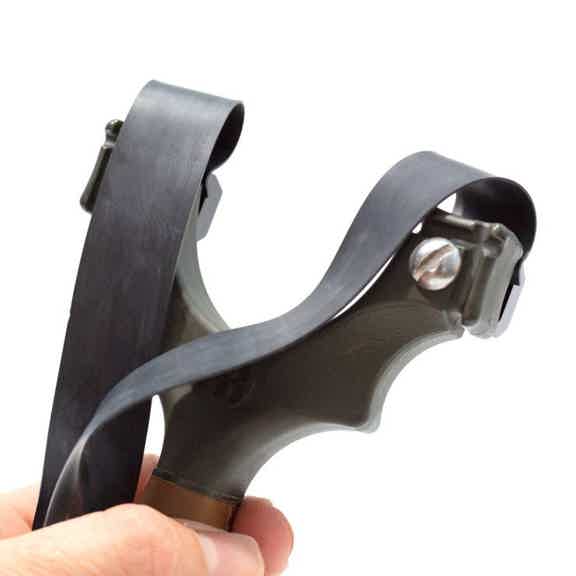
OTT (Over The Top)
Band orientation where you shoot the ammo over the top of the forks. (FlipClips hold the band to the TOP of the frame.)
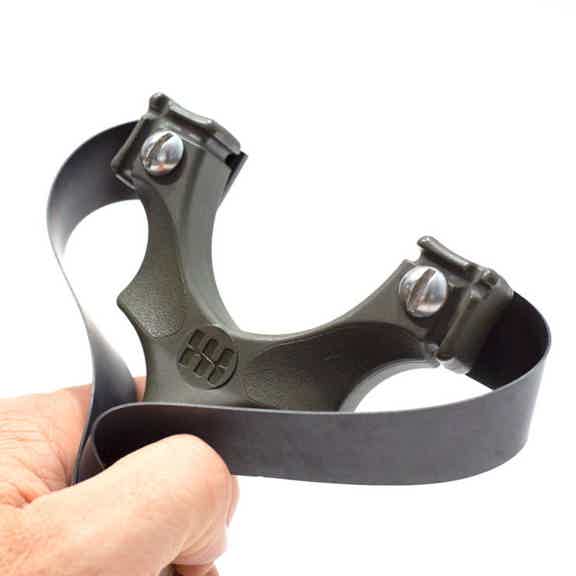
TTF (Through The Forks)
Band orientation where you shoot the ammo through the forks. (FlipClips hold the band to the SIDE of the frame.)

The Lanyard
A simple piece of paracord that attaches to the handle of your Scout LT frame and secures the slingshot to your frame-holding hand.

Do not shoot stones or rocks from any slingshot.
Rocks – no matter how round they look – shoot erratically and shooting them may damage your slingshot and bands.
Due to the uncontrollable nature of shooting non-spherical projectiles, shooting a rock from a SimpleShot slingshot voids any / all warranties.
SCOUT XT™ SLINGSHOT SETUP INSTRUCTIONS
Step one: Install the Lanyard
It is critical to always have the lanyard securely wrapped around the wrist when shooting. Serious injury can result from improper use, so make sure you ALWAYS install and use the lanyard when shooting your slingshot!
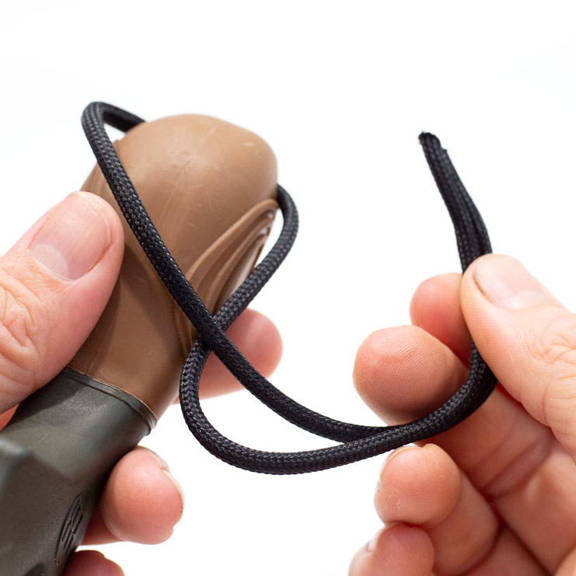
STEP 1. Thread one end of the lanyard through the hole in the end of the Scout frame

STEP 2. Tie a simple overhand knot with BOTH tag ends of the lanyard.
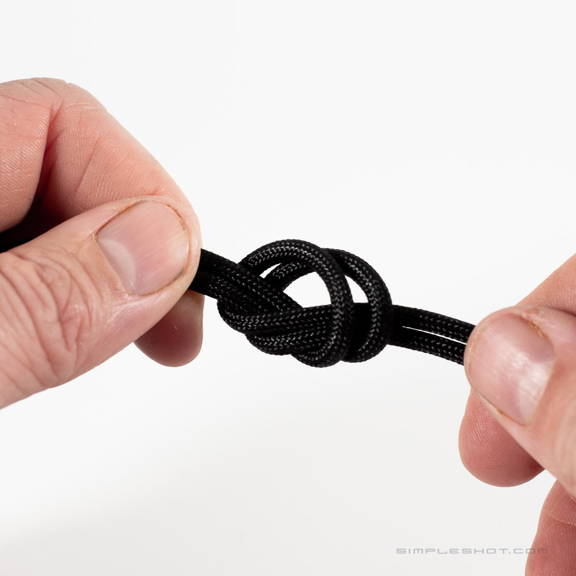
STEP 3. Pull tightly to secure the knot (adjust the position of the knot to vary size of the lanyard.

STEP 4. Check the lanyard to make sure it is secure.
ALWAYS wear the lanyard securely when shooting! The lanyard should firmly but not tight. It should be secure enough to prevent the frame from ever slipping from your hand.
Get to know FlipClipsX™ for your Scout XT™
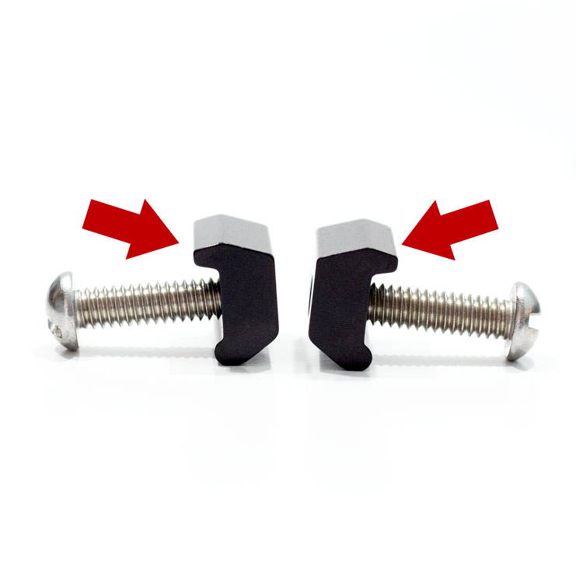
Every FlipClip has a "tooth."
This upper side of the clip is slightly larger and less round. Only use this side to grip the band.
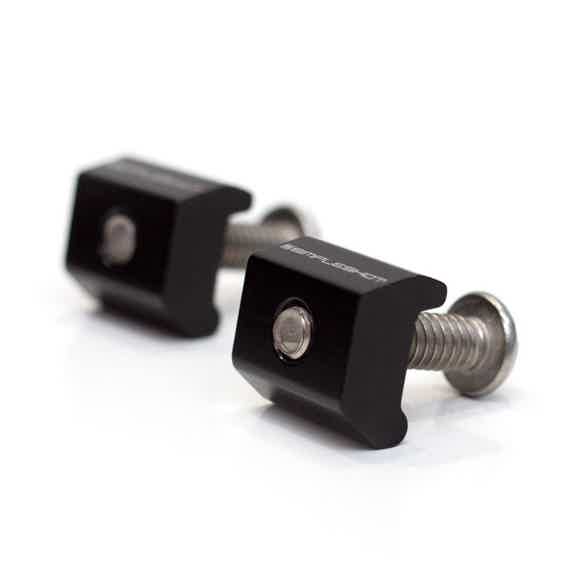
Every FlipClip pair has a left and right component.
The logos engraved on each clip will show you which is which!
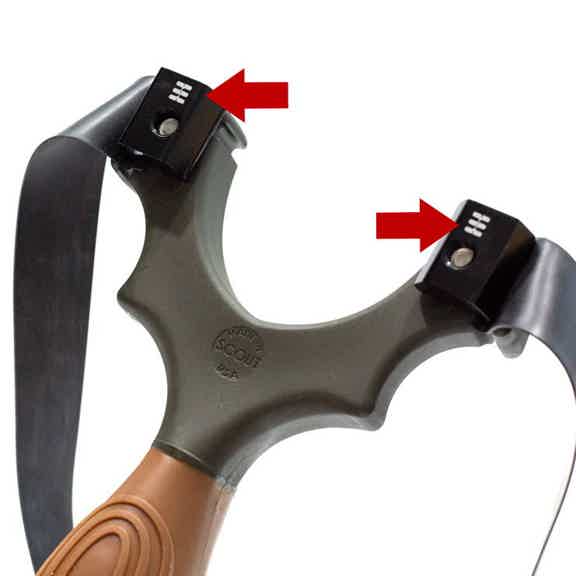
For TTF configuration:
The logos should be on the TOP with the bands around the sides.
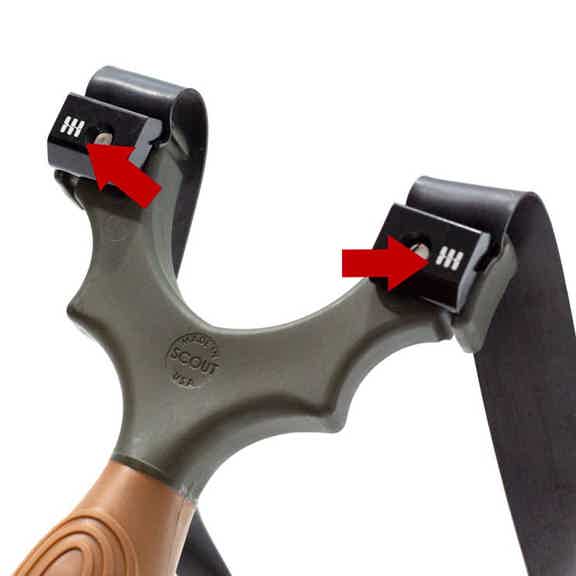
For OTT configuration:
The logos should be on the OUTSIDE with the bands over the top.
Step three: Install Bands With Your FlipClipsX™
First, decide whether you will be installing your bands OTT or TTF.
_Don't know which to use? Try both, starting with OTT._
Installing Bands OTT (Over The Top)
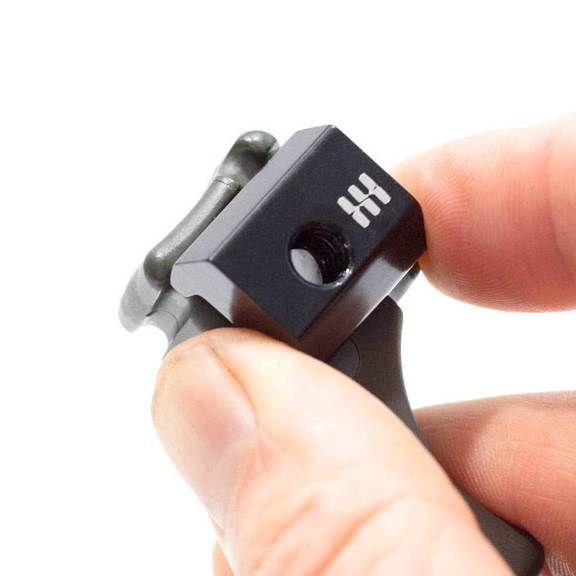
Step 1.
Place FlipClip with logos facing OUT and "tooth" edge in the frame groove.
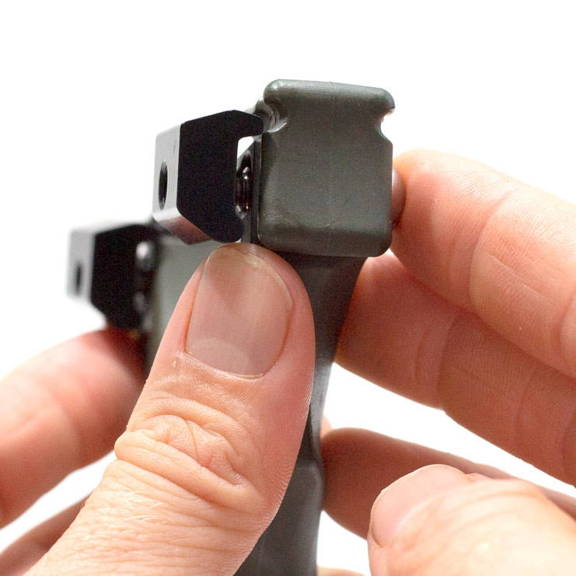
Step 2.
Thread the fastener JUST until it catches.
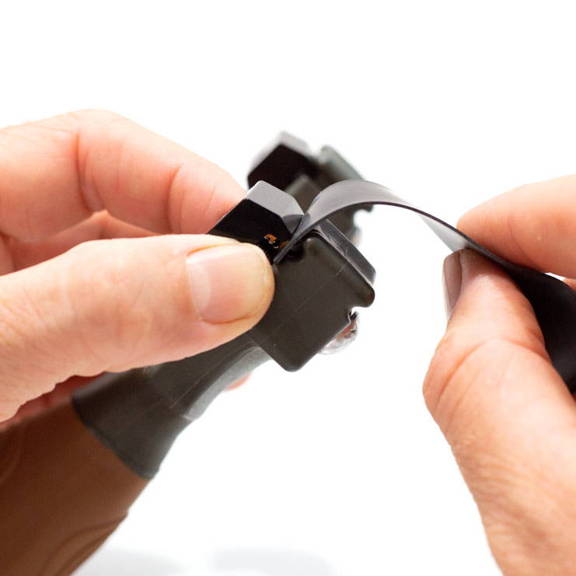
Step 3.
Place the band into the groove of the frame and under the "tooth" of the FlipClip.
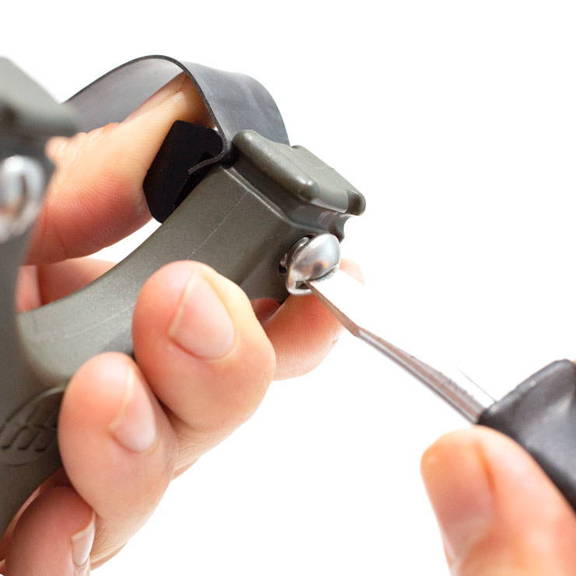
Step 4.
Tighten down the fastener. Do NOT over-tighten. The FlipClip is very strong and will hold when just hand tight.
Installing Bands TTF (Through The Forks)
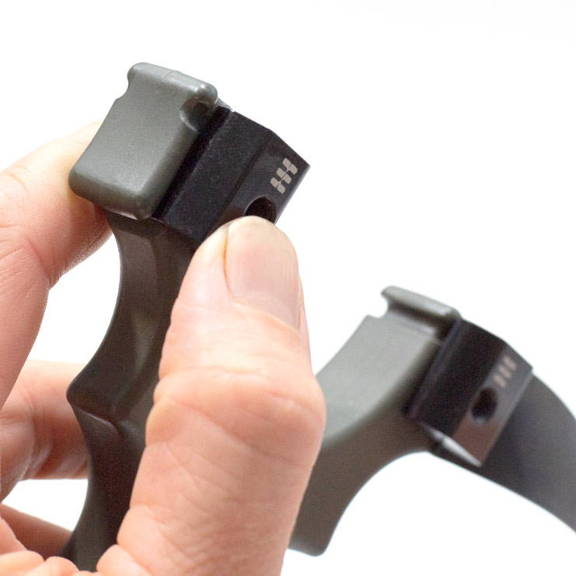
Step 1.
Place FlipClip with logos facing UP and "tooth" edge in the frame groove.
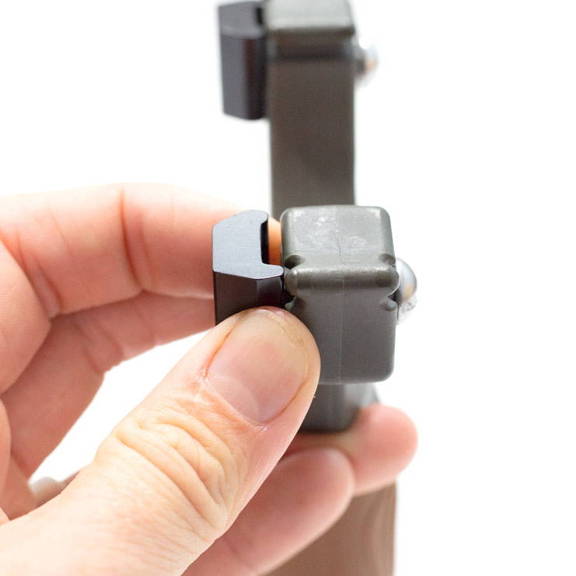
Step 2.
Thread the fastener JUST until it catches.
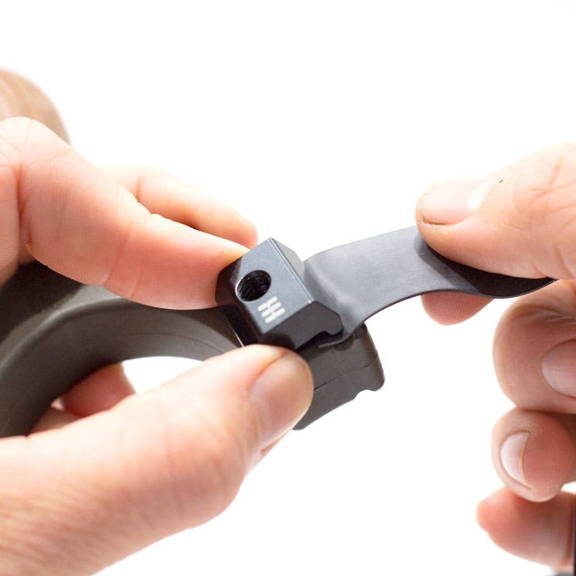
Step 3.
Place the band into the groove of the frame and under the "tooth" of the FlipClip.
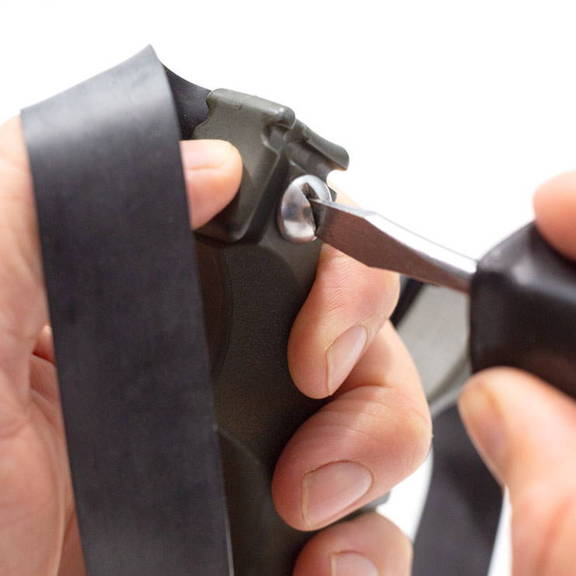
Step 4.
Tighten down the fastener. Do NOT over-tighten. The FlipClip is very strong and will hold when just hand tight.
In step 4, Do NOT over-tighten.Be careful to not damage the band material as tighten your FlipClips.
Which Grip should I use with my Scout XT™?
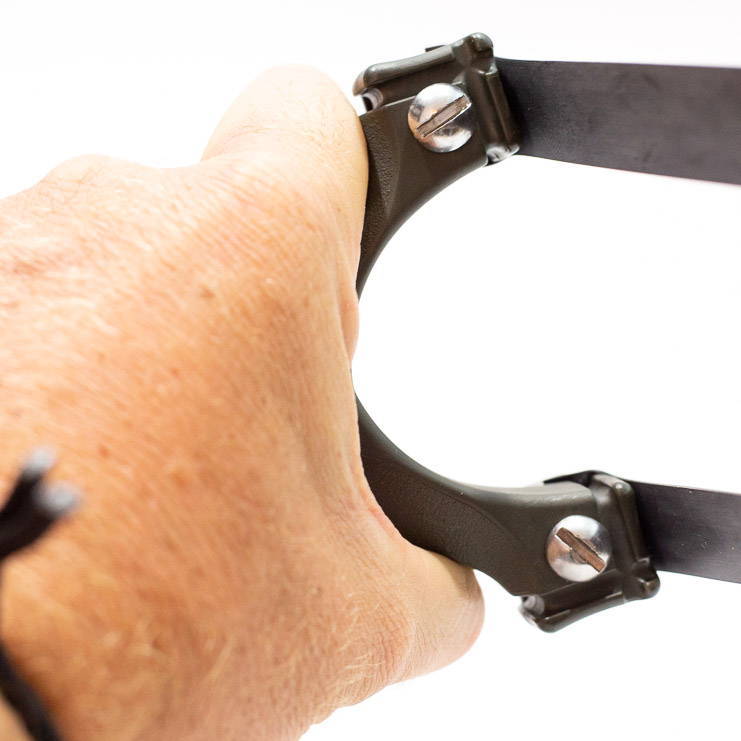
The Pinch Grip

The Fork-Supported Grip
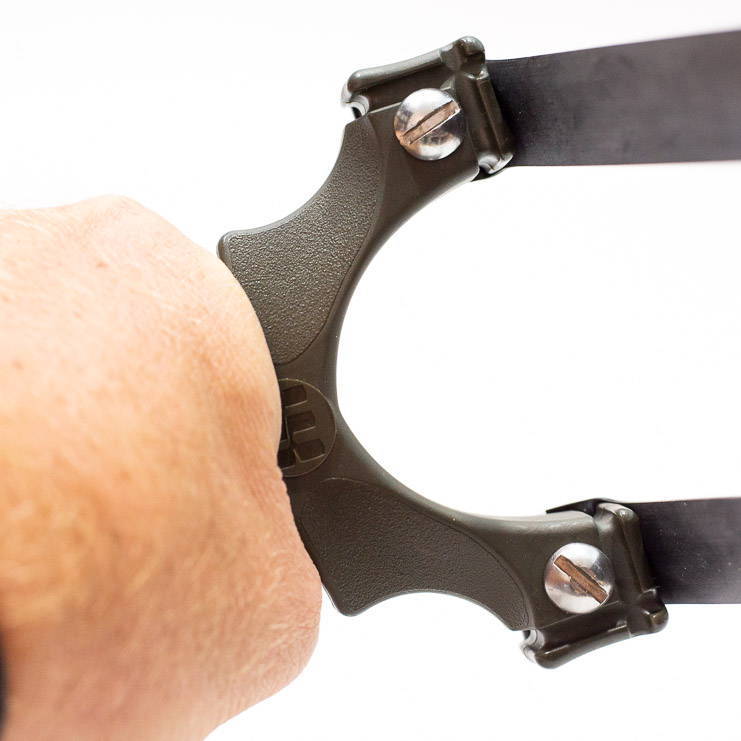
The Hammer Grip
Important Scout Instructions
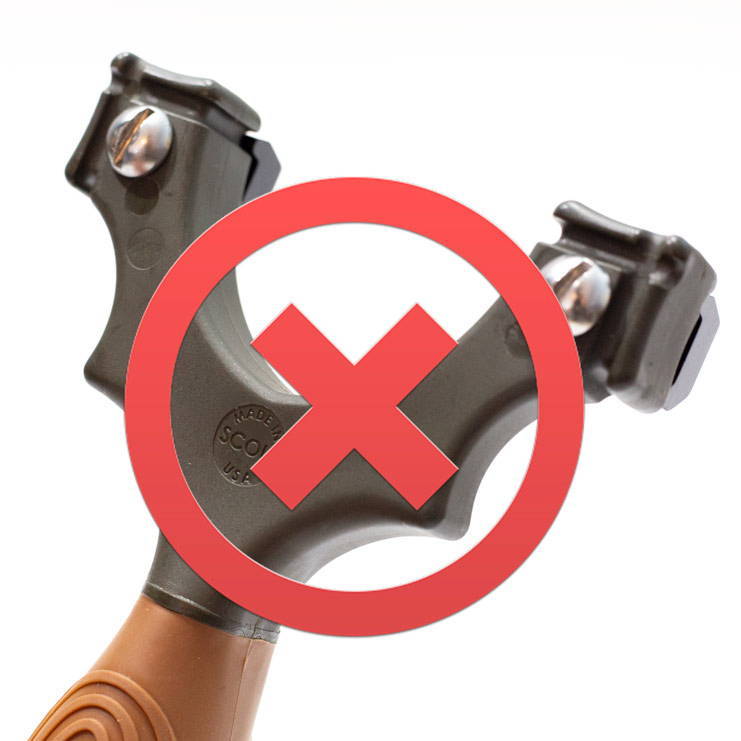
The fasteners must go on the shooter side, NOT the target side!

Check your bands before every use.
And now, watch the video to see the FlipClipsX in action!
Frequently Asked Questions
Does the Scout XT™ come with everything I need to shoot?
Absolutely. It comes with a lanyard, two powerful bandsets, and a pair of FlipClipsX to attach them to the frame. Everything you need to shoot is included. You supply the ammo.